In short
- Tell them before they get the link. That an AI interviews them, why, how long it takes, that a person decides, and how to ask for accommodations.
- The invitation does the rest. testee's email names the company, the role, the tools and the deadline; the landing page shows the parts and the length.
- Give enough time. A week by default, a reminder 48 hours before the deadline, never sooner than 12 hours after inviting.
- Prepare them. A quiet place, a computer for tasks, think out loud, ask to repeat, take time to think, typing is fine.
- Close the loop. Decide quickly, tell every candidate the outcome, and read the feedback they leave.
Why the invitation shapes the candidate experience
How to invite candidates to an AI interview matters as much as the interview itself. Many candidates haven't taken one before, and some are wary: in a Pew Research Center survey of US adults in December 2022, 66% said they would not want to apply to an employer that uses AI to help make hiring decisions, and 71% opposed AI making the final decision. A clear invitation answers that worry before it grows.
Explanations help. In a study of one-way video interviews, explaining that everyone gets the same questions improved how fair candidates found the format, and explaining that they could take it when it suited them improved how usable they found it (Basch and Melchers, 2019). The CandE Benchmark program reports that candidate resentment was 70% higher when there was no interview preparation or follow-up (2025 data, the program's own summary).
What to tell candidates before they get the link
- An AI interviews them. Say it plainly; the landing page shouldn't be the first time they hear it.
- Why you use it. Everyone gets the same questions and is judged on the same points, and they can take it at any time before the deadline, without scheduling a call.
- How long and what's in it. "About 35 minutes: a few questions, a short role-play and a written reply." Mention a coding or whiteboard task so they use a computer.
- What's assessed, in general terms. The skills the role needs, such as handling an upset customer or explaining a design. Telling candidates what is assessed helped them perform and measured the intended skills more cleanly, without hurting prediction (Klehe and colleagues, 2008). The detailed expectations stay hidden.
- What isn't assessed. Accent, emotions, appearance or personality.
- A person decides. Name who reviews the result: the hiring manager or the recruiting team.
- They can type. Typing instead of speaking is always offered, no reason needed.
- How to ask for accommodations. A contact address, and that asking won't count against them. See fair AI interviews.
The interview invitation email
When you invite a candidate (one by one, from a CSV import, from your ATS or through the API), testee sends the invitation email in your company's name and branding, in the interview's language. It contains:
- The subject "<Company>: your interview for <role>" and a line saying the company invites them.
- Your welcome message, if you wrote one on the Branding page.
- What the interview is: a structured interview with an AI interviewer, by voice or typing; the tools that may open (quiz, code editor, whiteboard, a review, a written answer, a role-play); answers are recorded and reviewed by the hiring team, and the AI doesn't make hiring decisions.
- A Start your interview button and the link.
- The deadline, and that a computer with a microphone in a quiet place works best.
Your own notice comes on top: what the law asks you, the employer, to tell candidates in your name, such as your privacy notice. Start from the candidate notice templates, and send it with your message ahead or link it from the job ad.
A sample message to send ahead
Send this from your own address a day before, or with the invitation. Adapt the brackets and cut what doesn't apply.
Subject: Next step for the [role] role: a short interview
Hi [first name],
Thanks for applying for [role] at [company]. The next step is a structured interview of about [N] minutes, run by an AI interviewer. The link comes in a separate email, sent through testee, our interview platform, and you can take it any time before [date].
We use it so every candidate gets the same questions and is judged on the same points, and so you don't need to find a time with us. It has [N] parts: [a few questions, a short role-play with a customer, a written reply]. You can answer by voice or type, whichever you prefer.
The AI shows our team which points your answers covered, with quotes. It doesn't judge your accent, emotions or appearance, and it doesn't decide: [name or role] reviews every interview and we'll get back to you by [date].
A few tips: find a quiet place, use a computer with headphones, and think out loud. You can ask the interviewer to repeat a question and take a moment to think.
If you need an adjustment, such as more time or a different format, reply to this email or write to [contact]. Asking won't count against you.
[Your name]
Deadlines and reminders
- The link's deadline: 7 days by default, set in Settings → General (1 to 60 days) or per invitation. A week with a weekend in it suits most people with a job; shorten it only when the role must close fast.
- The reminder: by default 48 hours before the deadline, to candidates who haven't started. It is never sent sooner than 12 hours after the invitation, so a short deadline doesn't mean two emails at once. Set it to 0 for none.
- The expiry notice: when the link expires, the candidate is told and asked to contact you for a new one. You can turn it off.
- A new link: Send new link emails a fresh link and gives an expired invitation a new deadline; the old link stops working. Revoke ends an unstarted invitation at once.
Reminders work: there's no hiring-specific trial, but in healthcare, text-message reminders raised appointment attendance (a Cochrane review of seven trials, Gurol-Urganci and colleagues, 2013). Keep the default reminder on.
What the candidate sees, step by step
From the email to the end
- Sign in. The candidate opens the link, presses Send code and enters the 6-digit code emailed to the invited address.
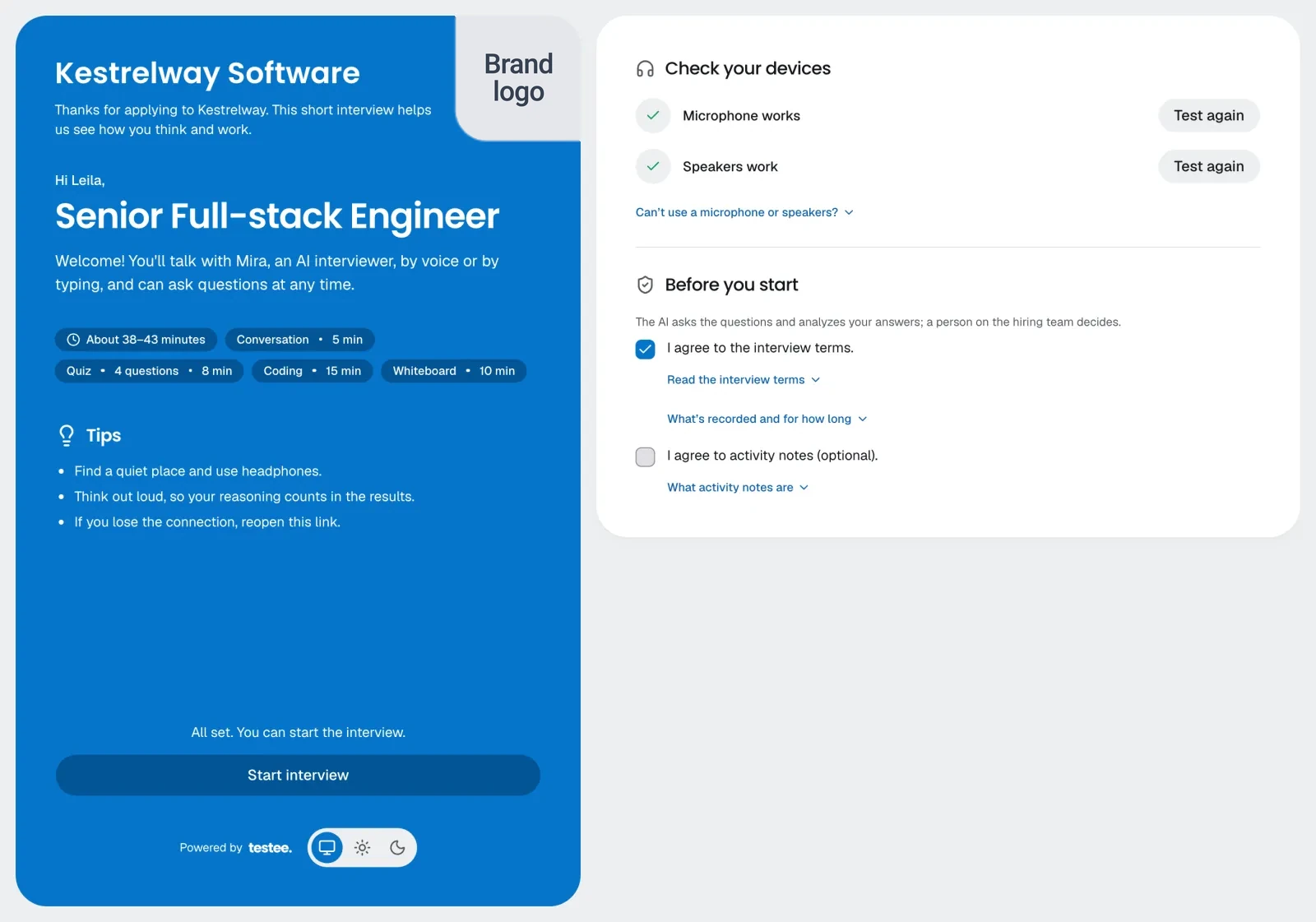
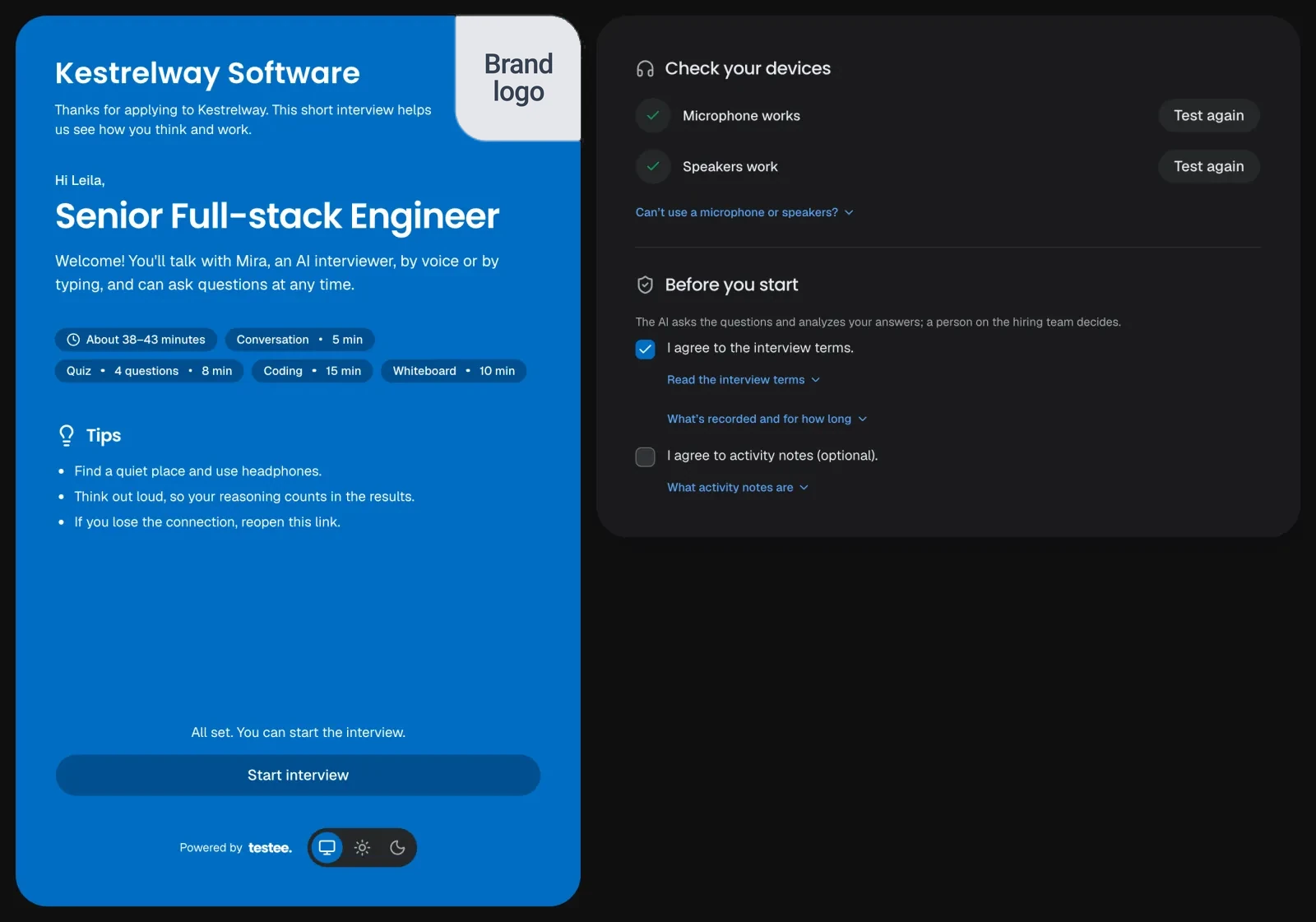
- The landing page. Your company, the role, a line saying an AI interviewer runs the interview, the length ("About 33–38 minutes") and the parts by kind and time, with a few tips. No questions are shown before the start.
- Device checks. A microphone test, or "I can't use a microphone or prefer to type". A speaker test, or captions only. A camera only if you record it.
- Notices and consent. A short summary (the AI analyzes the answers, a person on your team decides, what is recorded), the full terms one click away, and your contact for accommodations and data. The candidate agrees, then presses Start.
- The interview room. The AI interviewer asks the questions by voice, with live captions, and the candidate answers by voice or by typing. Tasks open beside the conversation: the code editor, the whiteboard, a role-play's scenario. A timer shows each part's time.
- If the connection drops, the clock and the interviewer pause for up to 5 minutes while the candidate reopens the link.
- The finished page. A short feedback form, then thanks; if you set a return URL, a "Back to <company>" button takes them to your site. A thank-you email says a person on your team will review the answers.
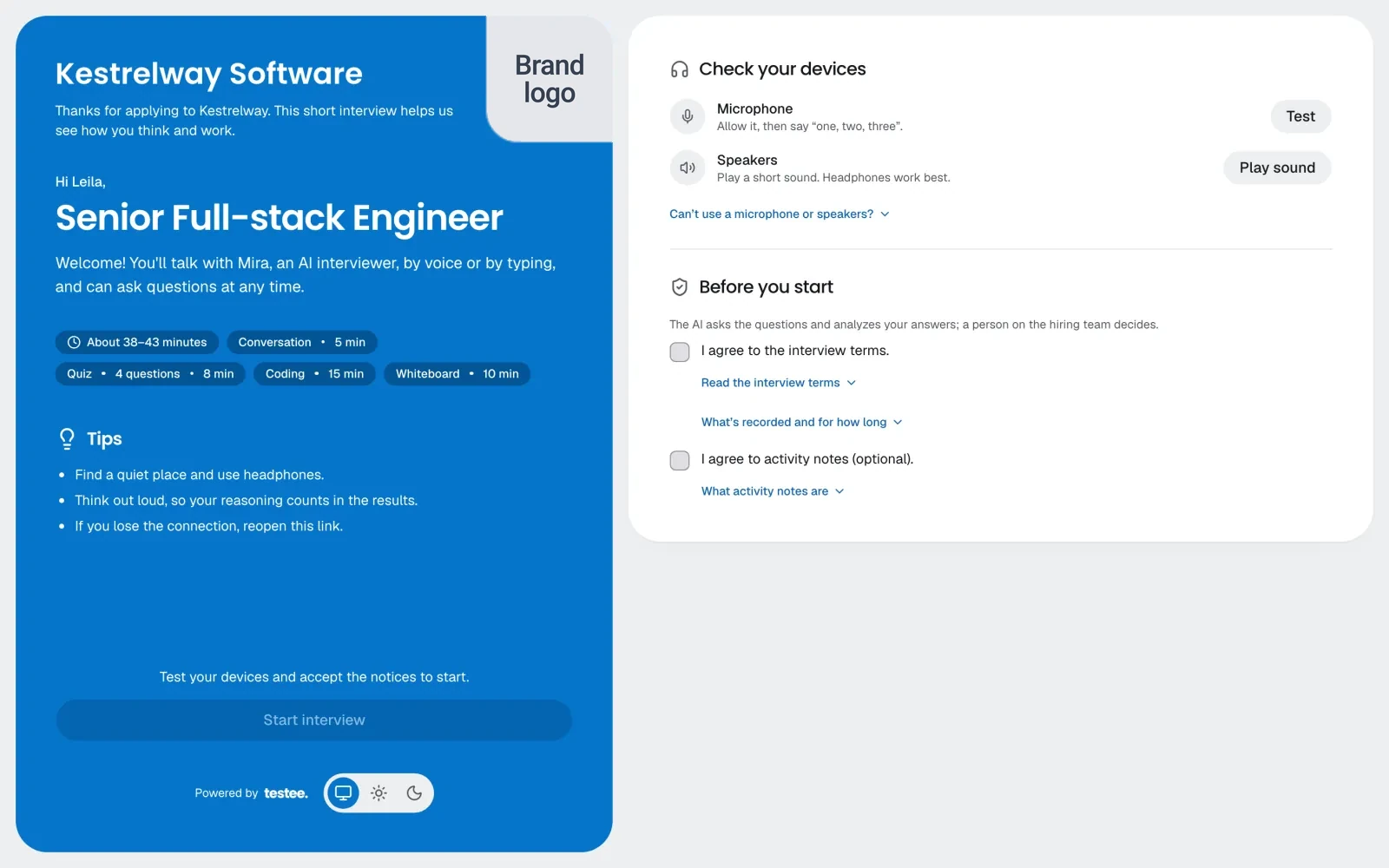
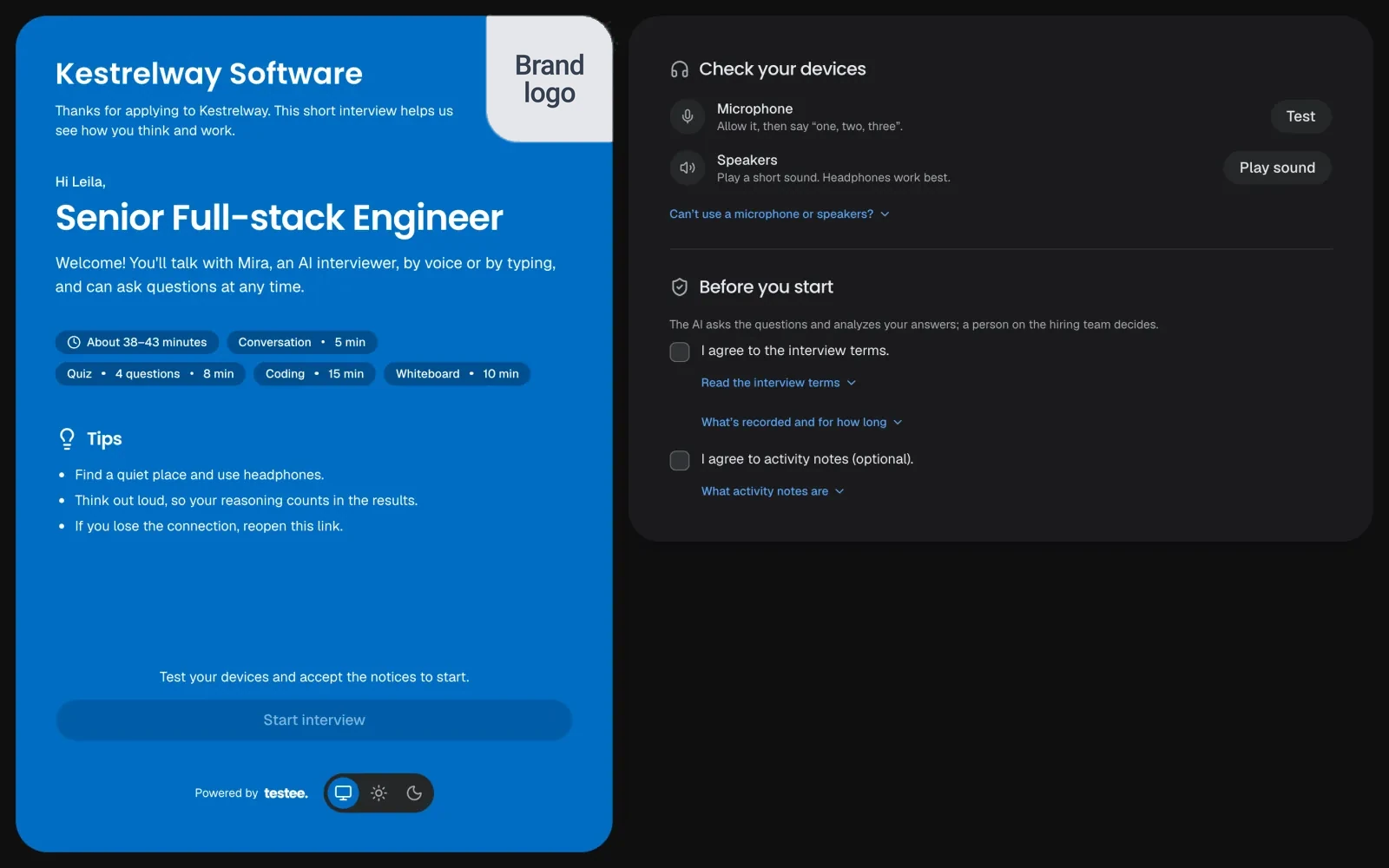
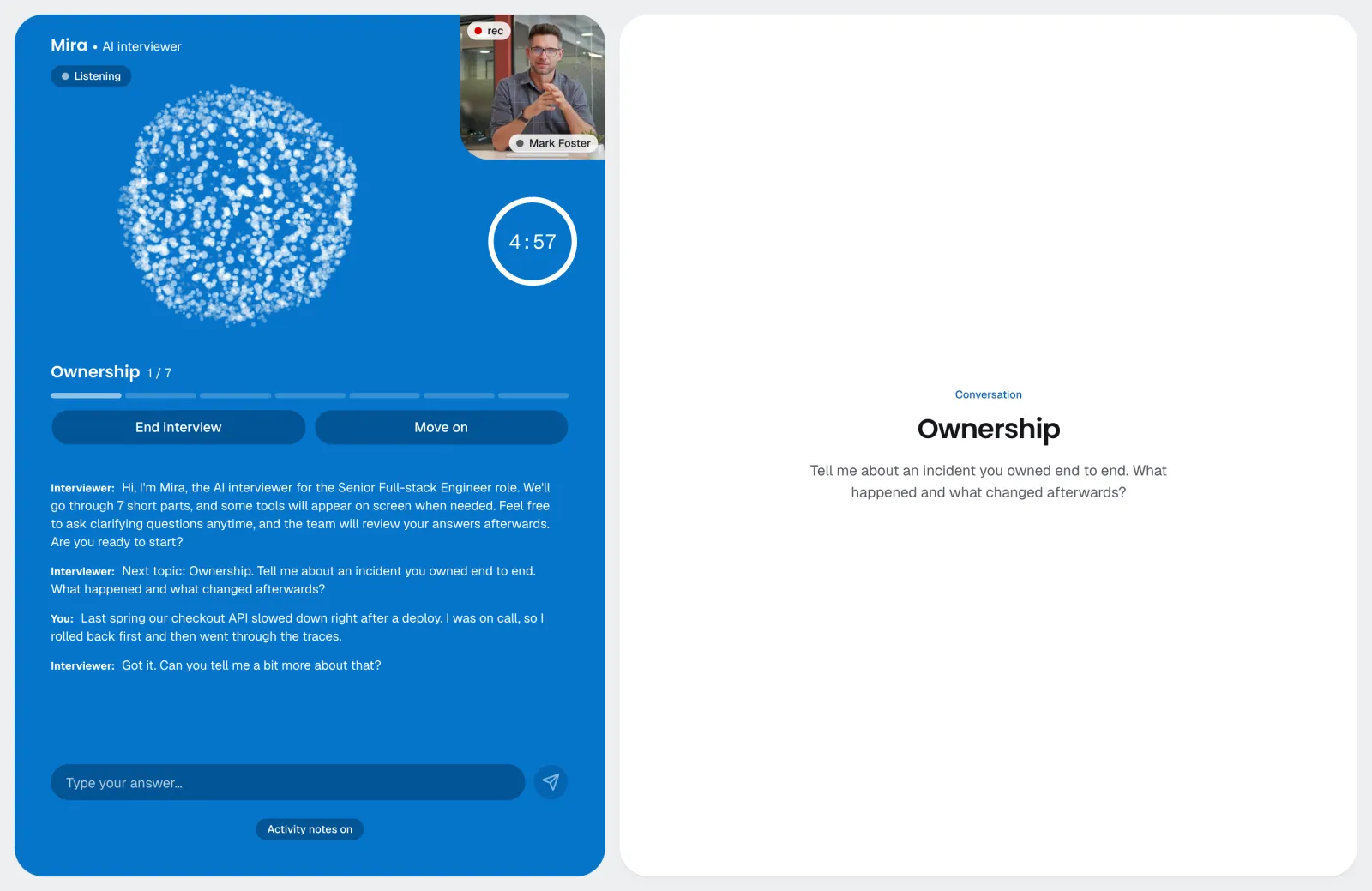
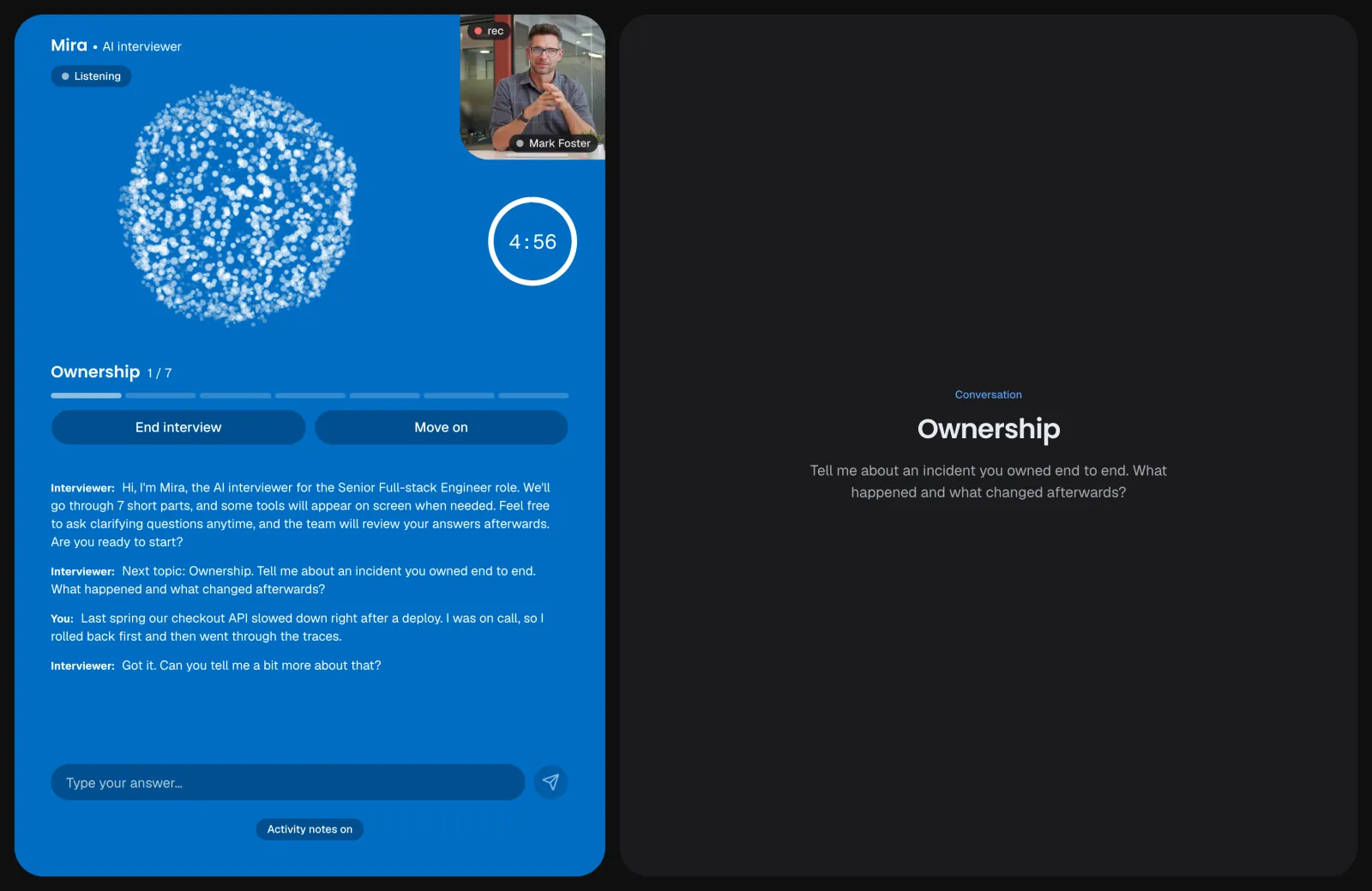
On a phone or tablet the interview works too. If it has a coding, whiteboard or review task, the landing page suggests a computer and offers to email the link to the candidate, so they can switch.
How to prepare candidates for an AI interview
Share these tips in your message ahead or on your careers page. They are the same for everyone, so they don't give anyone an edge.
- A quiet place and headphones. Background noise and echo make voice harder. Typing is always an option.
- A computer for tasks. Code, drawing and review tasks are easier on a big screen with a keyboard.
- Know the parts. The landing page lists them with their times; a quick look helps them pace themselves.
- Think out loud. The reasoning is part of the evidence, especially in coding and design tasks.
- Ask to repeat. It's fine to ask the interviewer to repeat or rephrase a question. If they go quiet for a while, it offers to.
- Take time to think. "Let me think" is fine: the interviewer waits and doesn't interrupt.
- If something goes wrong, reopen the link. A dropped connection pauses the clock for up to 5 minutes.
After the interview
The experience doesn't end at the finished page. The CandE Benchmark program's 2025 summary says 56% of candidates got no feedback after being rejected, and 31% of North American candidates had no answer one to two months or more after applying. Silence is what candidates remember.
- Review quickly. Your team is notified when results are ready; aim to decide within a few working days. See how to read an AI interview report.
- Tell everyone the outcome. Advance, hold or reject, every candidate hears back, by the date you promised.
- Say what happens next. For those who advance: who they'll meet and what the next round covers. The report's suggested follow-up questions help plan it.
- Answer questions about the result. A candidate may ask how they were assessed or for a person to review the result. The evidence is on the results page.
Measuring candidate experience
After each interview the candidate can rate it: overall, how natural the conversation felt, how relevant the questions were, any technical problems, and a comment. It's on the results page and in the Feedback view, and never affects scores. Your team is notified when a candidate reports a problem (a low rating or a technical issue).
- Read the comments monthly. Look for the same complaint twice: a confusing question, a task that runs out of time, audio trouble.
- Fix the interview, not the candidate. If many candidates find a question irrelevant, rewrite it or cut it.
- Ask, and it pays back. The CandE program reports that candidates asked for feedback after interviews were 106% more likely to refer others (its own summary; the method isn't published).
Summary
Inviting candidates to an AI interview
- Before the link, tell candidates an AI interviews them, why, how long it takes, that a person decides, that they can type, and how to ask for accommodations.
- Send your own notice where the law asks for one, and the New York City notice only for candidates who live there.
- Give a week and keep the reminder 48 hours before the deadline.
- Share the tips: a quiet place, a computer for tasks, think out loud, ask to repeat, take time to think.
- Decide quickly and tell everyone the outcome. Then read the feedback and fix what candidates trip over.
Questions and answers
How do you invite candidates to an AI interview?
Tell them first what to expect, then send the invitation. In testee you invite one candidate, import a CSV of up to 5,000, move a candidate to a stage in a connected ATS, or call the API; each candidate gets an email with their own link and a deadline.
What should an AI interview invitation email say?
That an AI interviewer runs it, why you use it, how long it takes and what's in it, the deadline, that a person makes the decision, that typing is fine, and how to ask for accommodations.
How do candidates prepare for an AI interview?
Find a quiet place, use a computer with headphones, look at the interview's parts on the landing page, think out loud, and ask the interviewer to repeat a question when needed. Taking a moment to think is fine.
What should a candidate expect in an AI interview?
A sign-in code by email, a page with the parts and length, a quick device check, a notice to accept, then an AI interviewer asking questions by voice with captions. Answers can be spoken or typed, and tasks like code or a role-play open on screen. A person on the hiring team reviews the result.
What if a candidate's connection drops?
The timer and the interviewer pause for up to 5 minutes. The candidate reopens the link and carries on where they left off.
Sources
- Survale CandE program, 2025 Candidate Experience Benchmark: key statistics
- Basch & Melchers 2019, explanations and asynchronous video interviews
- Klehe et al. 2008, transparency in structured interviews
- Pew Research Center, AI in Hiring and Evaluating Workers: What Americans Think (2023)
- Gurol-Urganci et al. 2013, mobile phone text messaging reminders for attendance at healthcare appointments
- NYC DCWP, Automated employment decision tools (Local Law 144)
- testee candidate notice templates
- testee: how it works